
Every AI quota,
one ring.
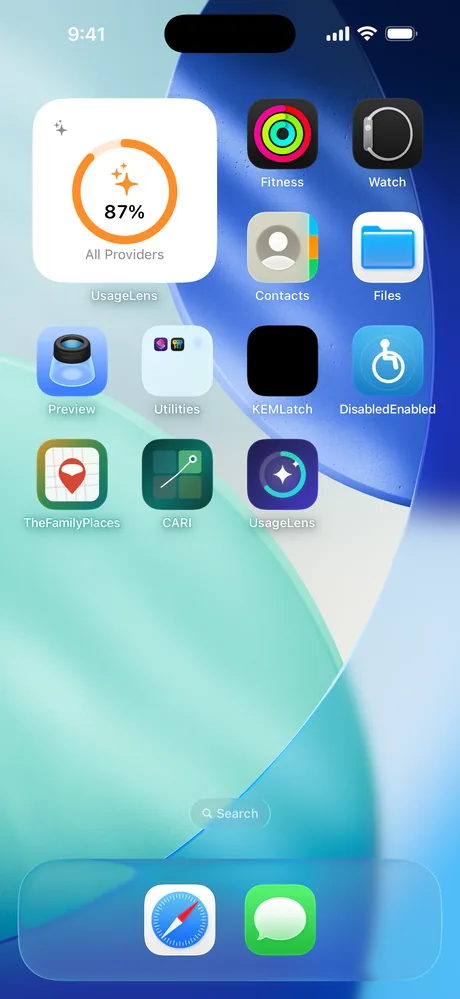
UsageLens puts your AI usage in one place: a single dashboard and a configurable Home Screen widget that show how much of your allowance you have used. It is a quota ring, not a battery icon — one glance tells you where you stand.
 Available now — 1.0
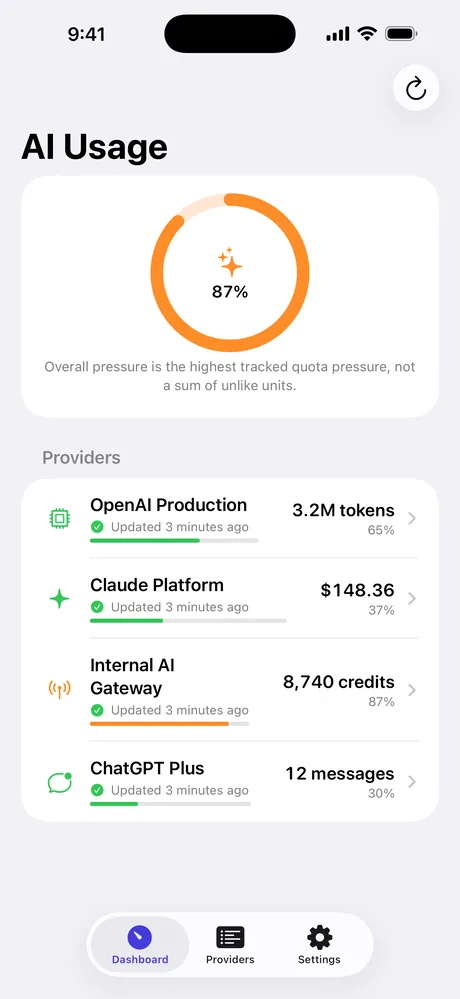
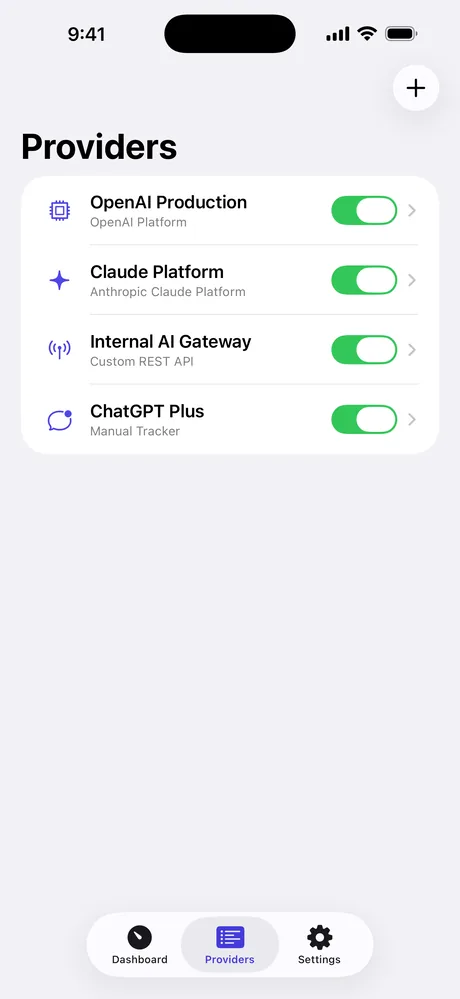
Four ways to track
Connect what reports. Count what doesn't.
Some AI services publish an official usage API. Some expose an internal gateway. Some publish nothing at all. UsageLens covers all three cases instead of pretending the last one doesn't exist.
OpenAI Platform
Connect an organization Admin API key and follow total tokens, model requests, or spend in USD through the official organization usage and cost endpoints, with cursor pagination.
Anthropic Claude Platform
Connect an organization Admin API key and follow total tokens, requests, or cost through the official Usage and Cost Admin API — including cached and cache-creation input tokens.
Custom REST
Point UsageLens at any authorized HTTPS endpoint that returns JSON. Map used, limit, remaining, reset and cost with simple paths like quota.used. Ideal for an internal gateway or a broker.
Manual tracker
For plans with no reporting API, keep your own count. Update it in the app, or with the “Log AI Usage” Shortcut without opening the app at all.
What it looks like
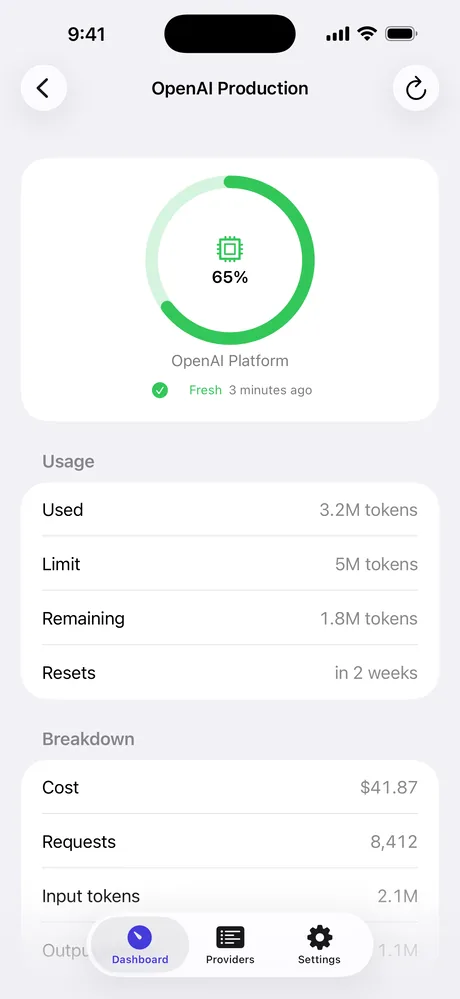
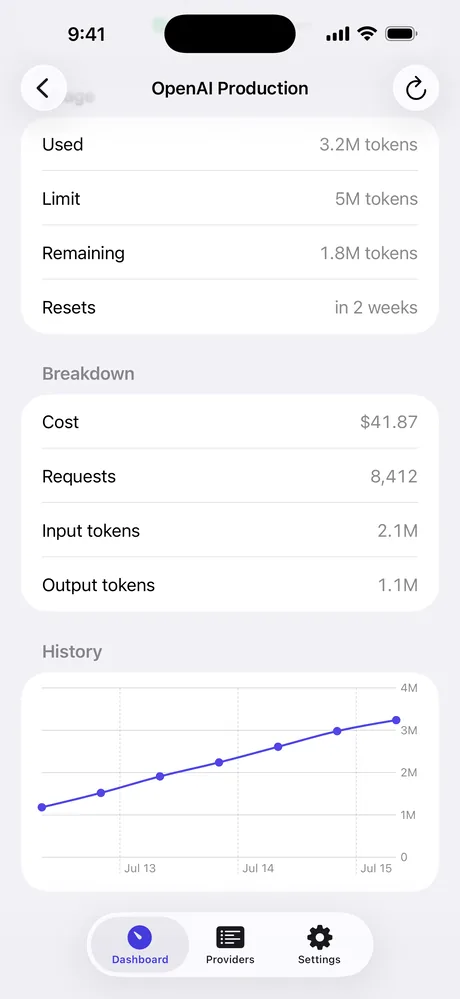
Built around one honest number.
Overall pressure is the highest quota pressure you are tracking — never a meaningless sum of tokens, dollars and messages. Every screen tells you how fresh the data is.
Security
Your keys never leave the Keychain.
An organization Admin API key can read sensitive usage and financial data. UsageLens is built so that key has exactly one place to live.
- Credentials are stored as Keychain items, device-only, and are never written to the file the widget reads.
- The widget is read-only and cannot reach your credentials at all.
- Custom endpoints are HTTPS-only and GET-only, with timeouts, no cookies, no cache, and a 2 MB response cap.
- Headers that look like credentials are rejected, so a secret can't be pasted somewhere it would be stored in plain text.
- Error messages never echo your keys, headers, or raw responses.
- Privacy mode hides exact amounts in widgets while keeping the ring visible.
- No account, no analytics, no advertising, no third-party SDKs. Nothing is sent to us.
Deploying to a team?
Handing an organization-wide Admin key to every device is a poor trade even with Keychain storage. Keep the key on a broker service that calls the provider server-side and returns only normalized numbers, then point the Custom REST connector at the broker.
The app never needs to see the upstream key.
What UsageLens does not do
The OpenAI and Anthropic connectors report usage for an API organization. They do not report ChatGPT or Claude consumer subscription message allowances, because those providers publish no API for them — Anthropic states its Admin API is unavailable to individual accounts. To follow a consumer plan, use a manual tracker or point the Custom REST connector at an endpoint you control.
UsageLens does not read other apps, does not scrape provider websites, and never asks for your browser cookies or session tokens. It reads official APIs, endpoints you configure yourself, and numbers you enter by hand.
A quota limit is a budget you define. It may not match the limit your provider enforces for billing. Background refresh is best effort — iOS decides when background work and widget updates actually run; pull to refresh in the app is always immediate.
Setup
Where to get a Claude API key.
The Anthropic Claude Platform connector reads your organization's official Usage and
Cost Admin API. It needs an organization Admin API key — one that begins
with sk-ant-admin… — which is different from a standard sk-ant-api…
key. A standard key will not work here.
Create the key
- Open the Anthropic Console and sign in as an organization Owner or Admin.
- Go to Settings → Admin Keys (a separate list from the regular API Keys).
- Click Create Admin Key, name it something like “UsageLens”.
- Copy the key — it is shown only once and starts with
sk-ant-admin…. - In UsageLens, add an Anthropic Claude Platform connector and paste the key. It is stored only in the iOS Keychain and never leaves your device.
Good to know
- The Admin API is unavailable for individual accounts — you need an Anthropic organization, not a personal or consumer Claude plan.
- This key reports API organization usage only. It does not show Claude consumer subscription message limits — use a Manual tracker for those.
- An Admin key grants broad access to usage and financial data. Prefer a dedicated integration key you can revoke, not a personal admin key.
- Deploying to a team? Keep the key on a broker service and point the Custom REST connector at it, so the key never reaches each device.
Setup
Where to get an OpenAI API key.
The OpenAI Platform connector reads your organization's official usage and cost
endpoints. It needs an organization Admin API key — one that begins
with sk-admin-… — which is different from a standard project key
(sk-… or sk-proj-…). A standard project key cannot read the
organization usage API.
Create the key
- Open the OpenAI Platform and sign in as an organization Owner.
- Go to Settings → Organization → Admin keys (separate from the regular API keys list).
- Click Create admin key, name it something like “UsageLens”.
- Copy the key — it is shown only once and starts with
sk-admin-…. - In UsageLens, add an OpenAI Platform connector and paste the key. It is stored only in the iOS Keychain and never leaves your device.
Good to know
- Only an organization Owner can create an Admin key. A project or personal key returns no organization usage data.
- This key reports API organization usage only. It does not show ChatGPT Plus or Team subscription limits — use a Manual tracker for those.
- An Admin key grants broad access to usage and billing data. Prefer a dedicated integration key you can revoke, not a personal admin key.
- Deploying to a team? Keep the key on a broker service and point the Custom REST connector at it, so the key never reaches each device.
Support
Questions, bugs, anything.
There is no account system and no ticket queue — just email. Include your iOS version and which connector you are using, and please never send an API key.
forall@tuta.com